Oxygen
About Oxygen

Recent Profile Visitors
1,575 profile views

Oxygen's Achievements
0
Reputation
-
How to check what version of .NET Framework you have installed
Oxygen replied to Zaitzev's topic in Windows Tips 'n' Tweaks
thank u -
@betamax thank u so much
-
Multiple Unattended Windows 7
Oxygen replied to Oxygen's topic in Unattended Windows 7/Server 2008R2
still waiting for any suggestion -
Multiple Unattended Windows 7
Oxygen replied to Oxygen's topic in Unattended Windows 7/Server 2008R2
thank u for ur fast reply , but i need to do this without any network share and without any usb flash drivers , i need to put every thing in the read-only media (DVD) i found software will call /SOURCES/BOOT.WIM now i need to edit this boot.wim to call a different xml for each pc thank u in advance -
hii all we have a lot of pcs have the same hardware , and i want to use one windows 7 DVD to install on those pcs with different configuration i mean to make more than one unattended file to use with each pc i know how to do this in xp , boot.bin will call setupldr then it will call winnt.sif , so i used to edit boot.bin and setupldr with any hex editor to call different winnt.sif for example boot1.bin will call setupld1 and it will call winnt1.sif can anyone help me to do it in windows 7 ??
-
[REQ] Show icon in notification area when connected
Oxygen replied to atabrk's topic in Windows Tips 'n' Tweaks
thank u so much , worked great with me and also very simple -
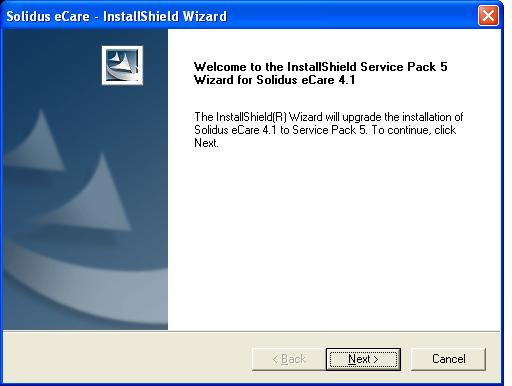
in my company we have an app called Solidus ecare , i install this app with silent switch and every thing goes fine , then there is an update i want to setup it silently, this update made by winzip self extractor , i try this switch app.exe /s or app.exe /s v/qn it hide the 1st screen and the 2nd screen but nothing will happened , and when i open task manager i can see msiexec.exe running can anyone tell me what shall i do to setup this update silently ??

-
thank u for ur reply , i'm gonna check this out