MSFN Forum: ibm netvista p4 freezing at bios splash screen - MSFN Forum

Jump to content


Page 1 of 1
  • You cannot start a new topic
  • You cannot reply to this topic

ibm netvista p4 freezing at bios splash screen Rate Topic: -----

#1 User is offline   awergh 

  • MSFN Expert
  • PipPipPipPipPipPip
  • Group: Members
  • Posts: 1,055
  • Joined: 02-October 05
  • OS:none specified
  • Country: Country Flag

Posted 20 August 2007 - 07:00 AM

i got this mobo which is an IBM Netvista with a P4 2Ghz CPU 256MB RAM

when i turn it on it displays the splash for the bios saying IBM and thats it.
im only using the bare components no fancy cards or drives or anything.
it seems to be working generally i think, the nic works, agp works, it detects if the ram isnt there
not sure whats wrong so i posted here

This post has been edited by awergh: 20 August 2007 - 07:01 AM


#2 User is offline   eyeball 

  • Have you tried turning it off and on again?
  • PipPipPipPipPipPip
  • Group: Members
  • Posts: 1,150
  • Joined: 28-October 05

Posted 20 August 2007 - 09:46 AM

have you tried clearing the CMOS or updating the bios? or does it not get that far?

#3 User is offline   awergh 

  • MSFN Expert
  • PipPipPipPipPipPip
  • Group: Members
  • Posts: 1,055
  • Joined: 02-October 05
  • OS:none specified
  • Country: Country Flag

Posted 20 August 2007 - 04:10 PM

tried clearing the cmos with the jumper, and taking the battery out for a few minutes and didnt do anything, i cant see how im going to update the bios, because it hasnt like detected stuff because its just sitting at the bios splash saying ibm

#4 User is offline   puntoMX 

  • n00b of Masters and Vice Versa
  • Group: Super Moderator
  • Posts: 4,686
  • Joined: 28-June 04
  • OS:Windows 7 x64
  • Country: Country Flag

Posted 20 August 2007 - 05:06 PM

Then I would swap out the powersupply and the RAM to see if it changes any thing...

#5 User is offline   awergh 

  • MSFN Expert
  • PipPipPipPipPipPip
  • Group: Members
  • Posts: 1,055
  • Joined: 02-October 05
  • OS:none specified
  • Country: Country Flag

Posted 21 August 2007 - 12:06 AM

changing the powersupply makes no difference,
im borrowing some ddr tommorrow, since i dont have any

#6 User is offline   awergh 

  • MSFN Expert
  • PipPipPipPipPipPip
  • Group: Members
  • Posts: 1,055
  • Joined: 02-October 05
  • OS:none specified
  • Country: Country Flag

Posted 21 August 2007 - 03:03 AM

well i found some details about the mobo it is apparently a ibm netvista 8305-21a

the ram does look abit sus from the label

#7 User is offline   RJARRRPCGP 

  • MSFN Expert
  • PipPipPipPipPipPip
  • Group: Members
  • Posts: 1,154
  • Joined: 13-April 05

Posted 21 August 2007 - 07:36 PM

View Postawergh, on Aug 20 2007, 09:00 AM, said:

i got this mobo which is an IBM Netvista with a P4 2Ghz CPU 256MB RAM

when i turn it on it displays the splash for the bios saying IBM and thats it.
im only using the bare components no fancy cards or drives or anything.
it seems to be working generally i think, the nic works, agp works, it detects if the ram isnt there
not sure whats wrong so i posted here


Reconnect the IDE cables, reconnect the HDD power connectors and try again.

#8 User is offline   awergh 

  • MSFN Expert
  • PipPipPipPipPipPip
  • Group: Members
  • Posts: 1,055
  • Joined: 02-October 05
  • OS:none specified
  • Country: Country Flag

Posted 22 August 2007 - 12:42 AM

weird advise, doesnt seem to have helped, oh and the keyboard has never worked,
i got some more ram from someone but the pc didnt even display anything when i put it in so im guessing the board doesnt like double sided ram

#9 User is offline   awergh 

  • MSFN Expert
  • PipPipPipPipPipPip
  • Group: Members
  • Posts: 1,055
  • Joined: 02-October 05
  • OS:none specified
  • Country: Country Flag

Posted 24 August 2007 - 11:45 PM

i found out the ram is fine, so i think it is maybe a mobo problem :no:
any more suggestions?

#10 User is offline   puntoMX 

  • n00b of Masters and Vice Versa
  • Group: Super Moderator
  • Posts: 4,686
  • Joined: 28-June 04
  • OS:Windows 7 x64
  • Country: Country Flag

Posted 25 August 2007 - 11:29 AM

You are getting closer now, but it could be the CPU too...

#11 User is offline   awergh 

  • MSFN Expert
  • PipPipPipPipPipPip
  • Group: Members
  • Posts: 1,055
  • Joined: 02-October 05
  • OS:none specified
  • Country: Country Flag

Posted 25 August 2007 - 08:50 PM

cpu is harder to test, id have to get another board or something, the person who i got the pc from said that it was working untill there was some brown smell and then it started freezing at the bios splash screen

#12 User is offline   puntoMX 

  • n00b of Masters and Vice Versa
  • Group: Super Moderator
  • Posts: 4,686
  • Joined: 28-June 04
  • OS:Windows 7 x64
  • Country: Country Flag

Posted 26 August 2007 - 10:08 AM

Okay, that’s good information. Check the capacitors on your motherboard, almost sure one of them popped. Normally they are flat on top but when defective they leak or show a dome on top. It is known that it’s almost the first part of a motherboard that breaks.

#13 User is offline   bonestonne 

  • Friend of MSFN
  • PipPipPipPipPip
  • Group: Members
  • Posts: 846
  • Joined: 27-July 05

Posted 26 August 2007 - 11:11 AM

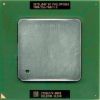
i should assume its socket 478 [i don't think 423 made it past 1.7ghz]

there are two caps on the motherboard, one right below the CPU heatsink, and one near where the rear I/O panel is that i think are prone to bursting. from the pentium 4's i've seen at the local dump, those two caps are commonly either burst or close to it.

punto, have you seen something like it? i wish i had a picture of at least one of the boards like that.

#14 User is offline   puntoMX 

  • n00b of Masters and Vice Versa
  • Group: Super Moderator
  • Posts: 4,686
  • Joined: 28-June 04
  • OS:Windows 7 x64
  • Country: Country Flag

Posted 26 August 2007 - 11:40 AM

View Postbonestonne, on Aug 26 2007, 11:11 AM, said:

punto, have you seen something like it?

Me? Or are you talking to awergh?

#15 User is offline   bonestonne 

  • Friend of MSFN
  • PipPipPipPipPip
  • Group: Members
  • Posts: 846
  • Joined: 27-July 05

Posted 26 August 2007 - 03:00 PM

you, in relations to the burst caps i've seen by the CPU socket and rear I/O panel..it seems you've seen it all so i'm just wondering.

#16 User is offline   puntoMX 

  • n00b of Masters and Vice Versa
  • Group: Super Moderator
  • Posts: 4,686
  • Joined: 28-June 04
  • OS:Windows 7 x64
  • Country: Country Flag

Posted 26 August 2007 - 03:15 PM

I never fixed any IBM computer for the last years... More crappy Dells then others...

#17 User is offline   awergh 

  • MSFN Expert
  • PipPipPipPipPipPip
  • Group: Members
  • Posts: 1,055
  • Joined: 02-October 05
  • OS:none specified
  • Country: Country Flag

Posted 27 August 2007 - 01:23 AM

i cant see and damage to anything on the board, including the capacitors. the jumper that i thought was just meant to clear the cmos is more special then i thought its meant to rewrite the bios.

it looks like all other p4 sockets that ive seen so i assume its the 478

#18 User is offline   puntoMX 

  • n00b of Masters and Vice Versa
  • Group: Super Moderator
  • Posts: 4,686
  • Joined: 28-June 04
  • OS:Windows 7 x64
  • Country: Country Flag

Posted 27 August 2007 - 10:46 AM

Yes it is Socket 478.

If you were sure that the hard disk, RAM, optical drive, power supply are okay, I would replace that motherboard although there is no visual defect. It’s not common that a CPU dies, well at least not as fast as a motherboard.

#19 User is offline   awergh 

  • MSFN Expert
  • PipPipPipPipPipPip
  • Group: Members
  • Posts: 1,055
  • Joined: 02-October 05
  • OS:none specified
  • Country: Country Flag

Posted 28 August 2007 - 01:34 AM

i was thinking the cause was the motherboard, since i have that processor i could get a motherboard without a cpu maybe

#20 User is offline   puntoMX 

  • n00b of Masters and Vice Versa
  • Group: Super Moderator
  • Posts: 4,686
  • Joined: 28-June 04
  • OS:Windows 7 x64
  • Country: Country Flag

Posted 28 August 2007 - 09:42 AM

Yes you can, any micro-ATX motherboard will fit but to make sure, can you make a picture or 2 of it?

Share this topic:


Page 1 of 1
  • You cannot start a new topic
  • You cannot reply to this topic

1 User(s) are reading this topic
0 members, 1 guests, 0 anonymous users


All trademarks mentioned on this page are the property of their respective owners
Copyright © 2001 - 2011 msfn.org
Privacy Policy