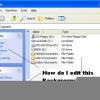
RBCC Posted September 28, 2009 Posted September 28, 2009 I am in the middle of customizating my setup screens if installed from cd-rom. I ran into this setup screen how do I change the font of the dialogbox? What file has this screen? I have mounted the boot.wim image 2, and want to get rid of the Windows flag and "Install Windows" in the caption? John
Nerwin Posted September 28, 2009 Posted September 28, 2009 Why do you want to change it. Do you really need to change it for a reason or do you just want to make it look cool, If you just want to make it look cool then why would you want to go through all that hassle? It's just a thought other than that I have no idea how you would change it.I have seen people create their own from scratch before.
RBCC Posted September 29, 2009 Author Posted September 29, 2009 I just want to get rid of the Windows flag, Install Windows in the caption and change the the font in "copying files" what file did they use to create to dialog box? John
MrJinje Posted November 7, 2009 Posted November 7, 2009 (edited) I think that that GUI is inside SOURCES\spwizimg.dll but after some checking on my DVD, have not found the strings or dialogs needed to change you fonts. There was no spwizimg.dll.mui in the en-us folder, not sure where is the next place we should be checking.Already took poke around in these files, but not finding the right strings. D:\WINDOWS_7\sources\spwizeng.dllD:\WINDOWS_7\sources\spwizres.dllD:\WINDOWS_7\sources\unattend.dllD:\WINDOWS_7\sources\winsetup.dllD:\WINDOWS_7\sources\en-us\spwizres.dll.muiEDIT: N/M seen your other threads, you are looking at a Vista Build, not my thing. Threw away my Vista DVD 2 weeks ago. Edited November 7, 2009 by MrJinje
RBCC Posted November 8, 2009 Author Posted November 8, 2009 7 is alot Vista but there has to be way of doing this! Isn't there? John
MrJinje Posted November 8, 2009 Posted November 8, 2009 (edited) Disassembled spwizeng.dll and think that is where the the GUI language is originating from, it is not stored in a STRING table, but did find these in the export section.WizardUI::GetFontCharSet(void)12F917C6 550 WizardUI::GetFontName(void) 12F917B0 551 WizardUI::GetFontSize(void) 12F917CF 552haven't used IDA since it was called SoftICE, not sure if this is on right track or just sending you on snipe hunt. Edited November 8, 2009 by MrJinje
RBCC Posted November 10, 2009 Author Posted November 10, 2009 What did you use to disassemble it? John I am using ollydebug but no avail. I am also using Windows 7 Ultimate 64 bit! Thank you for your help! John
MrJinje Posted November 10, 2009 Posted November 10, 2009 What did you use to disassemble it? John I am using ollydebug but no avail. I am also using Windows 7 Ultimate 64 bit!1) IDA 4.9 Freeware - on the 32bit .dll - Sorry freeware version cannot do x64 .dll's - Need pay version for that.Thank you for your help! John2) LOL, why you keep calling me John
RBCC Posted November 10, 2009 Author Posted November 10, 2009 I'm John, How do I get it back to original form? Do I also need a C/C++ compiler on my machine?

Recommended Posts
Create an account or sign in to comment
You need to be a member in order to leave a comment
Create an account
Sign up for a new account in our community. It's easy!
Register a new accountSign in
Already have an account? Sign in here.
Sign In Now