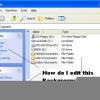
RBCC Posted June 29, 2005 Posted June 29, 2005 I am using Reshack and I can't find somethings in explorer and the login screen, when the user clicks on the start it goes dim, where is the dim button located, in which file? Also on the taskbar, when the user selects an item it goes dim where is this dimmed button? In the login Screen when a user selects the User Name it goes dim where is this dimmed image and all the dimmed buttons.John

Recommended Posts
Create an account or sign in to comment
You need to be a member in order to leave a comment
Create an account
Sign up for a new account in our community. It's easy!
Register a new accountSign in
Already have an account? Sign in here.
Sign In Now