Lwood
About Lwood

Lwood's Achievements
0
Reputation
-
Oh well, still no joy, I installed Pixia and got no warning. I'll play around with those setting some more and see if maybe I can get that warning back somehow or another. I guess I'm being a little too picky about how my pc operates, but I sure would like to get it back to where I got that warning again. My pc works fine otherwise so I don't want to do anything to upset that.
-
Thanks, I have reversed the first setting appropriately, I think. Not sure how to reverse the second setting, there is already a checkmark in "Require server verification (https:) for all sites in this zone." Now I'll have to try installing something. Thanks so much to both of you for your replies and advice.
-
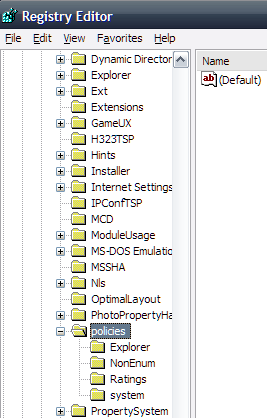
Yes, that looks very much like the dialogue I'm referring to. But I don't even have an associations under HKEY_LOCAL_MACHINE\Software\Microsoft\Windows\CurrentVersion\Policies\. Thanks very much for your help anyway though.

-
Hi and thanks for the reply, There's nothing there except "default - reg_sz - value not set".
-
Hi folks, Recently I was experimenting with Linux (now over until I get access to DSL) and in the process I lost the warning dialogue when I double clicked on installation programs and I'd like to restore it if possible. I am running XP Home Edition SP3 and Internet Explorer 8. During this time I reset my Internet Options to default settings. I don't know if I lost the warning dialogue from that or from using the recovery console to get rid of the Grub bootloader during which I ran the fixmbr and fixboot commands. I liked the little bit of added security of having to tell the OS that I'm intentionally installing something and I'd like to get back the warning when double clicking installation programs if possible. I hope I've described the problem sufficiently to receive help, but if not I'll gladly try to clarify. Thanks for any help and suggestions you may provide.
-
Thank you, I shall check that section out, probably should have posted this there instead of here to begin with. Right now I'm checking out the sticky UXTender thread. I used a different app to change mine after installing SP3 screwed things up, but wound up with the SP2 uxtheme.dll as a backup file so I copied the SP3 file uxtheme.dll from my daughter's pc changed it to the backed up file's name (has an extra file extension) and replaced it on my pc hoping if I ever unpatch that file would be correctly restored. Hehe. [added] I was hoping the fix for the orange highlight might just be an easy reg hack, if it's too involved, I'll just live with it even though it is hideous.
-
Nobody seems to know. I guess we're stuck with orange...
-
Check this out: You experience log off problems on a Windows XP-based, Windows Server 2003-based, Windows 2000-based, or Windows NT 4.0-based computer
-
Hello, Is it possible without much programming knowledge (or Window Blinds et al.) to change the orange highlight color around buttons when you hover your mouse over them in XP Home Edition and if so how? Thanks a lot for any input.