PsyCrow
About PsyCrow

PsyCrow's Achievements
1
Reputation
-
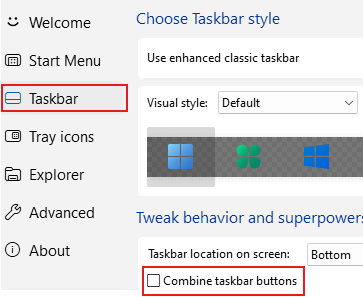
It took me some time to figure out how this works. You need to completely uncheck Combine taskbar buttons for middle-click close to work. Silly me, but the difference between unchecking and selecting Never in the dropdown is not very clear. Thanks @Tihiy , awesome work!

-
Well, here I am . This is not fixed, I'm back to Test Build 5 (other test builds are unavailable). All options (Sleep, Hibernate, etc) are enabled, like this:
-
Whoa, Sleep is Back! Thanks a lot, test build solves this issue. No, there is no "Sleep" in modern ui, just "Shutdown" and "Restart"
-
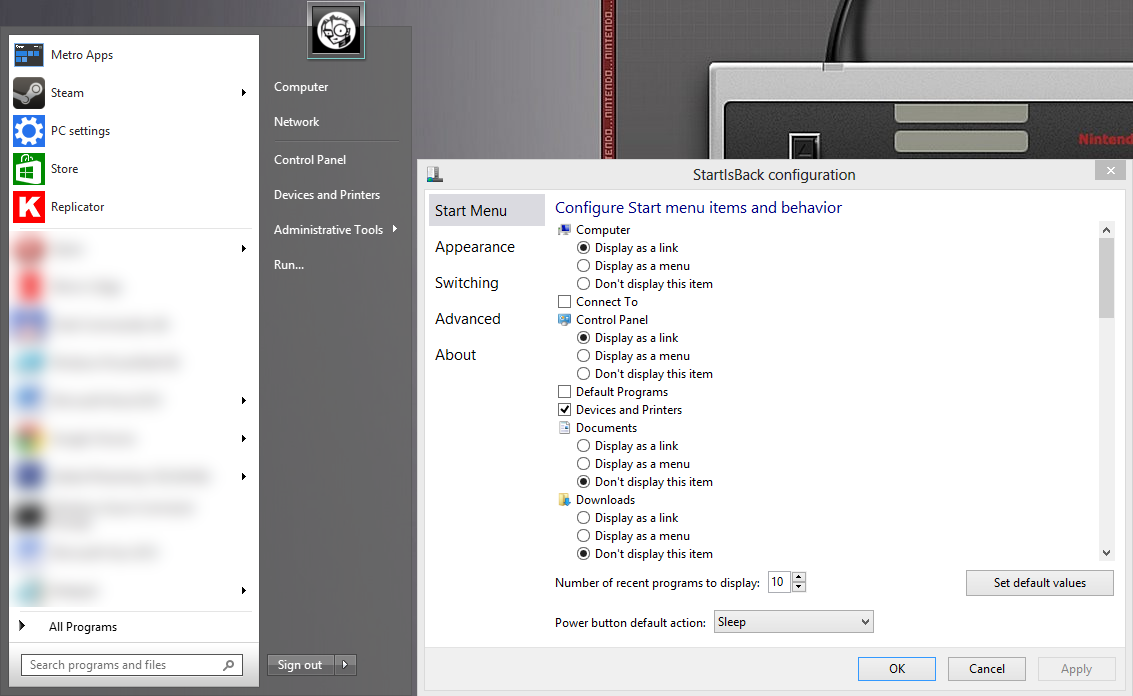
Probably bugreport. See image attached. StartIsBack 2.1.1 Windows Server 2012 x64 I've enabled sleep in Windows' power options, but it's not added to the SiB menu. As you see, "Sleep" appears in configuration dialog, but if you select it there, the "Sign Out" option will be shown instead in main start menu (and it does what it says, sign out). So, the only way to put PC to the sleep mode, is to use Alt-F4 shutdown menu menu, and choose sleep there.