shortie
About shortie

shortie's Achievements
0
Reputation
-
Hi all, I downloaded the latest version and having some problems. Maybe you guys cann help out. Unpacked on my drive d in folder d:\temp2 My system is Win7 64bit Ultimate, latest WAIK is installed. I put my Win7 iso unpacked in folder d:\dvd I selected imagex path and dism path both within the x64 folders of the WAIK. When selecting D: \DVD I get : unexpected error please check your log. === 7Customizer Started=== 7Customizer verion: 0.1.8d OS: Microsoft Windows NT 6.1.7600.0 OS architecture: AMD64 Work folder found: True Mount folder found: True Extract utility found: True Configuration file found: True Getting drive info Free space: 169,380897521973 GB Getting drive info: Done Saved Imagex path: C:\Program Files\Windows AIK\Tools\amd64\imagex.exe Saved DISM path: C:\Program Files\Windows AIK\Tools\amd64\Servicing\Dism.exe Windows source path selected Windows source path selected Sources folder found install.wim found install.wim size: 2679 MB Testing imagex Imagex result begin: ImageX Tool for Windows Copyright © Microsoft Corp. All rights reserved. Version: 6.1.7600.16385 Imagex result end. Testing dism dism result begin: Deployment Image Servicing and Management tool Version: 6.1.7600.16385 dism result end. added: "C:\Program Files\Windows AIK\Tools\amd64\imagex.exe" /XML /info "D:\DVD\sources\install.wim">work\imagesinfo.xml Starting imagex Imagex created imagesinfo.xml Successfully Reading images information from imagesinfo.xml First 5 lines of imagesinfo.xml <WIM> <TOTALBYTES>2809752848</TOTALBYTES> <IMAGE INDEX="1"> <NAME>Windows 7 Ultimate</NAME> <FLAGS>Ultimate</FLAGS> Available Images: Begin Unexpected Error: Der Objektverweis wurde nicht auf eine Objektinstanz festgelegt. bei _7Customizer.Form1.selectImagePathBtn_Click(Object sender, EventArgs e) ========================= Any idea? Kind regards, shortie
-
Hi again, forget what I wrote. I started all over again. Currently I'm at the autounattended part. Is there any way to skip certain parts e.g. adding apps since I prefer WPI. Kind regards, shortie
-
Hi maxXPsoft, no nothing. Now even after uninstalling and reinstalling it runs right away into that type mismatch window. Regards, shortie
-
Hi all, I'm still having problems. Downloaded lastest version from first page of topic (6.0.3) uninstalled everythin gold, rebooted, installed latest, rebooted again. Starting, select copy (in my case an extracted iso-image). It copies everything fine no problems. Se7en-ua restarts and ends up in a type mismatch (-13) failure... stuck. Any idea, shortie I'm working on 64bit win7 and the unpacked iso is also 64bit.
-
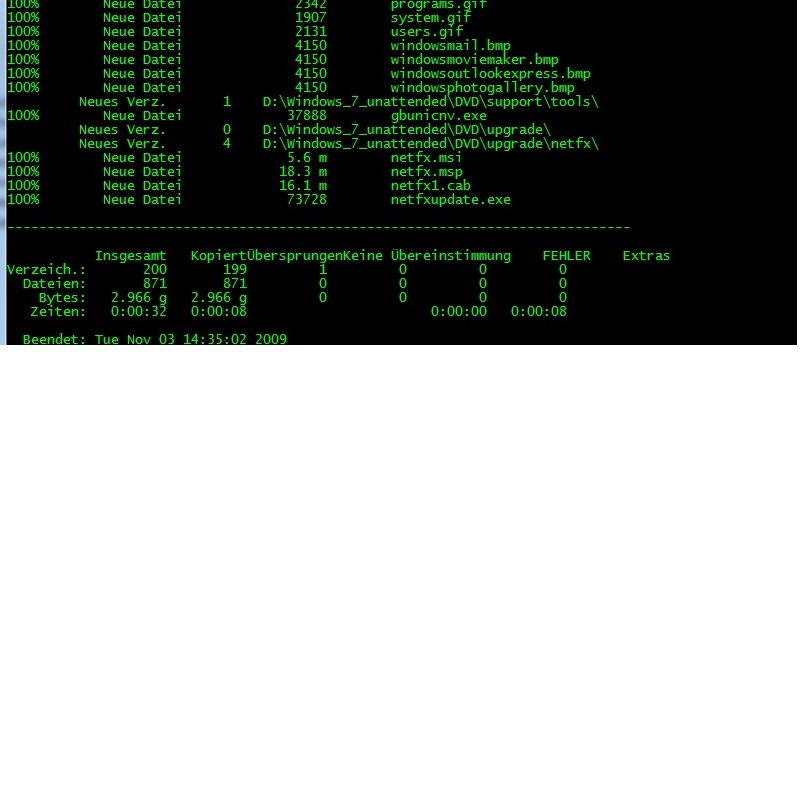
Hi all, sorry to say, but no problems. See attached screenshot. regards, shortie

-
Hi, at the end it tells me "pause to see errors.... besides that nothing regards, shortie
-
Hi there, first I would would like to say thank you for the work and the good program!! I got one problem though - after clicking "copy" I'm not asked for a username and directed to selcting the "bootmgr" then my unpacked Win7 is copied into the folder d:\Se7en_UA\uaDVD. Program starts all over, after dos-window is closed and that's it. It is not mared or noted anywhere that it copied the complete dvd. My system is Win7 64bit, se7en_ua is version 6.0.1, and the unpacked iso I'm using is als win7 64bit. Any hint? Kind regards, shortie