Hackez
About Hackez

- Birthday 04/05/1990
Hackez's Achievements
0
Reputation
-
After installing IE8 and all .NET Framework packages via Windows Update the error has vanished completely. So it seems MS did resolve the issue, but not via a direct hotfix.
-
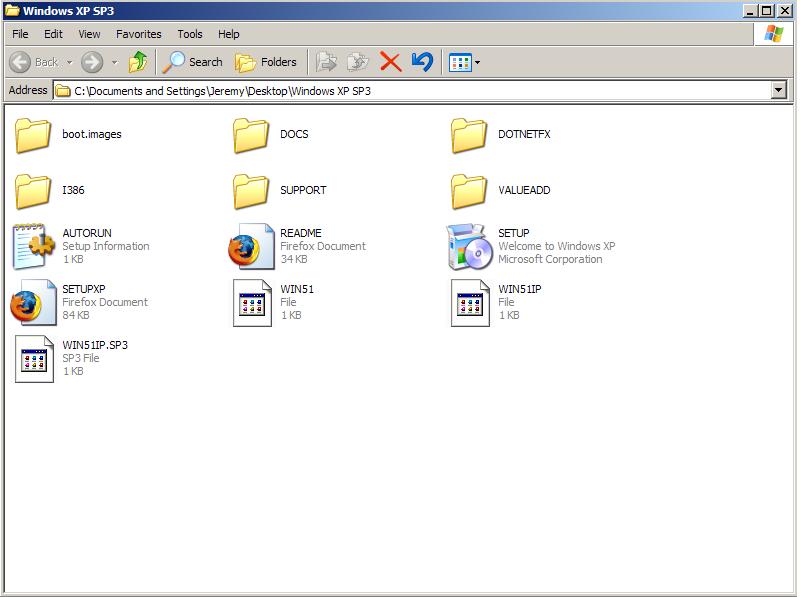
I downloaded Windows XP SP3 straight through MSDN and verified the ISO's integrity with a checksum utility. (SHA1 & MD5) Hence it was never modified from the original Microsoft release. Thus the service pack(s) are already integrated. With regards to which control panel I'm using, it's classic. I used two different mice and slowly clicked it once. It worked fine. Waited 5 seconds, clicked it once again and bam the error came up. (Hence I'm not quickly clicking or spamming User Accounts) Perhaps as others have mentioned in this thread this is just a bug that Microsoft has yet to fix. As to why I can replicate this issue on my desktop but not my laptop when they both are running Windows XP SP3 remains a mystery. I will try the Process Explorer when I get some free time and post the results. I will also fiddle with some optional windows updates and drivers to see if I can eliminate the error.

-
Sigh...I'm now at a complete loss. I installed Windows XP SP3 without ANY modifications and the error is STILL showing up. So it's almost as if it has to do with the hardware of my new desktop? Could it be a BIOS option causing issues with XP? Videocard: Radeon HD 4870 1GB GDDR5 Processor: AMD Phenom II X4 920 Mainboard: GIGABYTE GA-MA790X-UD4P Memory: 4GB DDR2 800 Soundcard: Creative Inspire T3100 PSU: OCZ StealthXStream 700W Any tips, tricks or advice is greatly appreciated. Thanks!
-
I'm not running any AV at the moment on this computer as its still a fresh install so the internet isn't connected. (Thus no risk of infection) Plus I have an airtight security setup on my router. I ruled the mouse out by using another one, so that's not it. I noticed that every time I opened User Accounts a process started called mshta.exe... If I kept opening User Accounts (even slowly, rather than rapid succession) multiple instances would launch. It got to the point where there were fifteen copies of it running. I checked my other slipstreamed computer and could not replicate this result. (And it doesn't experience the error mentioned at the beginning of this thread) I just obtained a clean untouched copy of Windows XP SP3 straight from MSDN and verified it was the real deal. Hopefully this new source will resolve my issue. If this doesn't eliminate the issue I believe Xable's SP3 Update Pack could be to blame. (Unless any of you see potential issues with my removals/tweaks?)
-
I did integrate SP3 separately from the Update Pack and tweaks. Should I do it all in one run? Could this be the source of my issues? From what I can tell my SP2 source isn't the cause of the issue. (I've been using it for years without issues) The SP3 Update Pack has been used by the masses without any issues as well. So I think that narrows it down to either my integration method or a tweak/removal I used? I can rule out the mouse for sure by just switching to a wired one I suppose for testing purposes. I used Google on the error and didn't really find any helpful information. =\
-
I have been doing Windows XP slipstreams for quite some time and haven't had any issues. However, upon installing my latest slipstream onto my new gaming desktop I keep running into an issue that's frustrating me. I even burned a new slipstream to rule out a disc error. I start with a Windows XP SP2 source disk and slipstream SP3 in. After that I add Xable's SP3 Update Pack. (With tweaks, etc.) The installation runs flawlessly but upon loading windows and going into the control panel issues begin. When I try to open User Accounts I get the following error... ----- Internet Explorer Script Error An error has occurred in the script on this page. Line: 4 Char: 1 Error: Access is denied. Code: 0 URL: res://C:\WINDOWS\system32\nusrmgr.cpl/nusrmgr.hta ----- I can hit yes and still access user accounts, but I'm worried about system stability as this error reoccurs every time I attempt to access it. Can anyone provide a possible solution? I have attached my session file so if anyone can help me pin down the issue I'd appreciate it. Stability is an important concern of mine. Thanks LAST_SESSION.INI
-
Double Post Please Delete.
-
have you tried without removing this ? ; #drivers# IBM Thinkpad That was actually my first assumption as to what may be causing the problem. I just wanted to ensure you guys didn't see anything besides that which could be causing these issues. (Unfortunately I won't have the machine in my hands until Saturday/Monday depending) Any additional help is appreciated, Thanks
-
Well on my ThinkPad T61P laptop I am having difficulty accessing safe mode. Pressing F8 at startup even on multiple attempts does not activate safe mode. Thus I have to enable safe mode via MSCONFIG which can be quite cumbersome. I have my A+, Network+ and am working towards my CCNA just so you guys are aware of my technical knowledge. Does anyone know if a component removal can be causing this? I have attached my last session file so hopefully someone can help me narrow down this issue. At first I assumed it was a keyboard/hardware issue but I had to send my laptop in for repair to Lenovo due to another reason and had them check the keyboard. They loaded up their OEM image and accessed safe mode without issue. (This isn't a driver issue either, I have ensured all necessary drivers are installed and are up to date) LAST_SESSION.INI