muggerfugger
About muggerfugger

muggerfugger's Achievements
0
Reputation
-
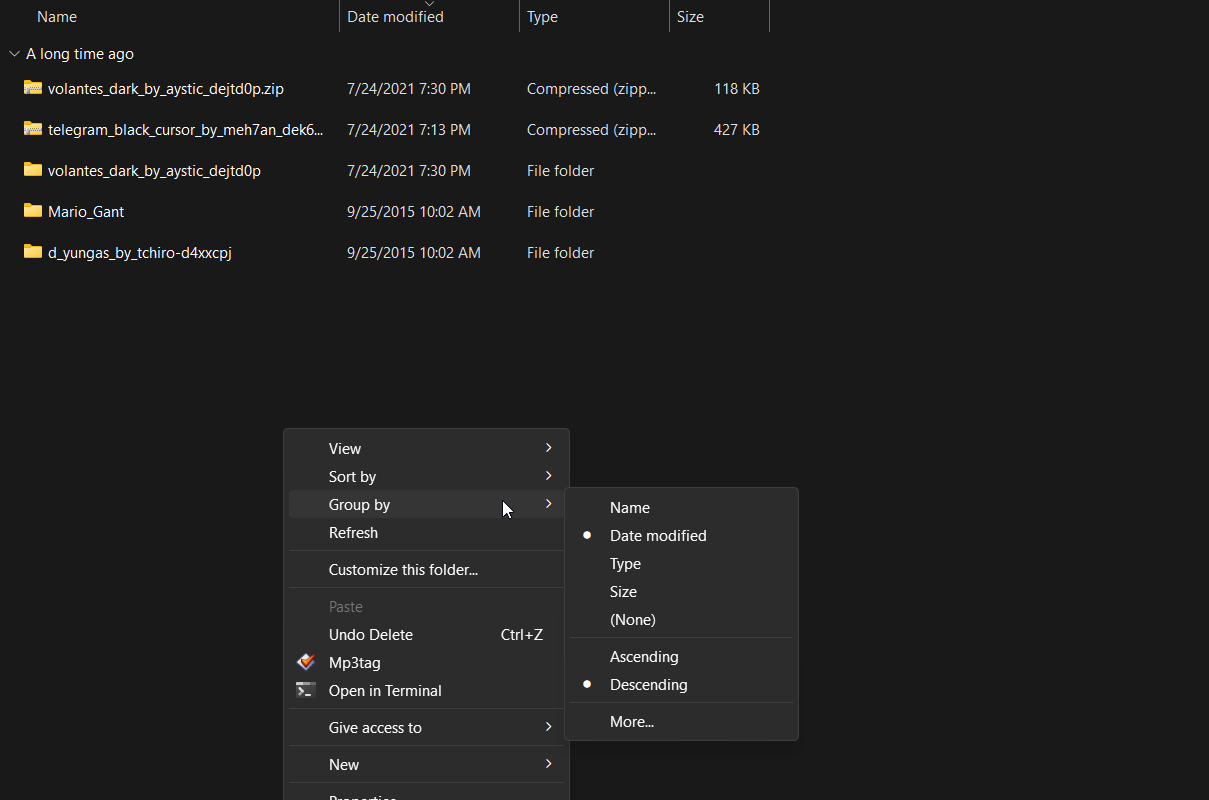
 Ever since I got on the beta version of windows 11, it been automatically grouping files in certain folders, and folders within that folder. For example, my Downloads folder. I keep setting the Grouping to None, but it still continues to group the files and folders after restarting explorer, or the pc. I'm used to sorting files by name, and then date, so this is making it complicated to find certain files that i'm looking for. It's very annoying. Does anyone know of a way to disable this? or fix it? I've never had this problem in Windows before. I'm currently on Windows 11 Pro 22H2 22622.290 thanks
-
muggerfugger changed their profile photo
-
Wow, i knew i joined a tech forum back in my vista beta days. Some how came to this site today from a link on a tutorial that is helping my slipstream all the latest windows 7 updates with my iso, so i wont have a problem installing windows on my new SSD thats arriving tomorrow. I logged in, and it said "Last Visit: 18 October 2006 - 07:17 PM" I plan on being more active on here. The other tech forums im an active member on seem to be going down hill. See how this one goes.