unabatedshagie
About unabatedshagie

Recent Profile Visitors
1,195 profile views

unabatedshagie's Achievements
0
Reputation
-
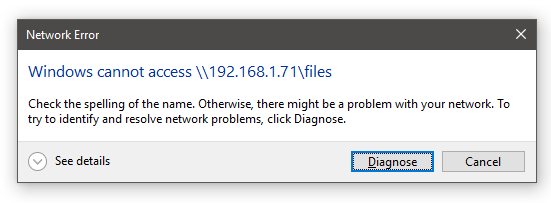
I am unable to connect either my Mac Mini or BananaPi from the network section of my Windows machine. The BananaPi is sharing files fine with samba, has been for a while. I've not touched the configuration on it for months and it was working. Same with the Mac. The only thing that has changed is I was on the normal build of Windows 10 and changed it to the preview build. I'm able to ping both devices fine. If I browse to their IP address in explorer I get an error, it's the same error when I try and access them from the network window. I'm able to view the samba share and access the files if I browse from the Mac. Any ideas on how to get access from my Windows machine?

-
Forgot to mention, this problem happens with both x86 and x64 versions.
-
I'm running build 7100 on an ASUS M2N32-SLI Deluxe motherboard and I'm having problems with my network connection dropping between my computer and router (It's a Sagem F@ST 2504) I've been having this problem with every build since 7000. I have the latest nVidia drivers for my motherboard (nForce Driver Version 15.25 release on March 16th) but the problem exists with or without them. I have tried a different router, same problem. I have tried both Ethernet connections on my motherboard, same problem. I thought it was only happening at random times but after a little investigation it seems to consistently happen whenever I update my podcasts in iTunes or when I'm downloading something in uTorrent. It does occasionally happen when I'm surfing the net with both those programs closed though. I'm assuming it's not an issue with my ISP because even when my computer looses connection I can still access the internet with my iPhone, PS3 and XBox 360 though the router. The only way I can temporarily solve the problem is to open the network and sharing center and run the troubleshooter by clicking on the little yellow triangle which resets the connection between my computer and router. Can anyone suggest anything I might be able to try to solve this because it's getting real tiresome resetting my network connection 10+ times a day.
-
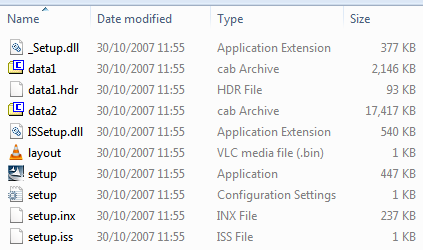
I've tried that, these are the files in the zip file I downloaded. I can't open the cab files and there are no inf files anywhere else.
-
Can anyone help me slipstream the sata drivers for my Acer Aspire 5920 onto my Vista disk? I have downloaded the drivers from the Acer website but when I try and add them in vlite there doesn't seem to be any inf files in the driver folder. Has anyone managed to slipstream the drivers for this laptop successfully? I did a quick google search but I only found people wanting to install xp on the machine not vista