Tumps
About Tumps

- Birthday 05/24/1988
Tumps's Achievements
0
Reputation
-
SOLVED: It appears to have been a faulty stick of ram. Have changed out the ram and it works.
-
Doing a fresh install on a laptop. Install Windows Vista Home Premium. Install SP1 from standalone installer. It installs and restarts, then does the boot updates. Then it restarts again and before I get any sign of Windows I get this error "The file is possibly corrupt. The file header checksum does not match the computed checksum." I ran a startup repair and it found nothing. I did a system restore to before SP1 and it did nothing. I ran a full chkdsk on the drive and it found nothing. I re-installed Vista serveral more times after that and tried different downloads of SP1 and each time the same error appears after installing SP1. Any ideas? Need more info then please ask!
-
Thank will look into those Whilst he was trying to back-up his files he got this BSOD
-
My brothers PC has start to BSOD and so i tried to load the System Repair by placing the Vista disc and restarting the PC but when I did this it first froze, the i hit reset and tried again and this time i got a BSOD with STOP: c000021a {Fatal System Error} The initial session process or system process terminated unexpectedly with a status of 0x00000000 (0xc0000221 0x00100390). The system has been shut down. Any clues on a simple(ish) fix.... or what's cuasing it??.... I will of cause try to provide all the Info you need Thanks in Advanced for any help
-
Sorry if in wrong section, please move if needed! After watching a video or listening to Music on WMP, I then try to cut and paste the file somewhere else or delete it but I can't because WMP hasn't closed (it's waiting in background) and released the file.... I have to keep going into Task Manager and close WMP there....... Any clues on how to solve this???
-
Ahh ok then, if it was only a Beta thing then They should really put that back into it!
-
I am currently having to resort to remaking my "Music" Folder after trying the other options..... should only take a few hours hopefully.......... Will report back with results
-
I seem to remember in Windows 7 Beta there was this feature of when you hover over an icon in the taskbar a preview window would open.... like it does in the current version.... but there was the ablilty to lock or pin the preview so it didn't vanish after moving your mouse off it..... This was useful for watching movies whilst on the net or writing a document......... Is there a way to do it in the retail version?? Or was it something i imagined????? Any more info you need i'll provide the best i can! Thanks in advance for any help
-
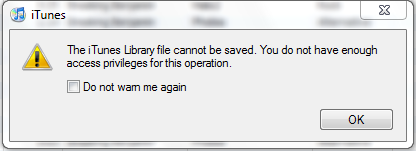
After installing iTunes on Windows7 everytime i use it this message pops up [see Below] I have checked out many of the ideas on the web already..... My music is saved on my D:\ Partition.... Any ideas that might help......